
Pick a layout that fits what the block says
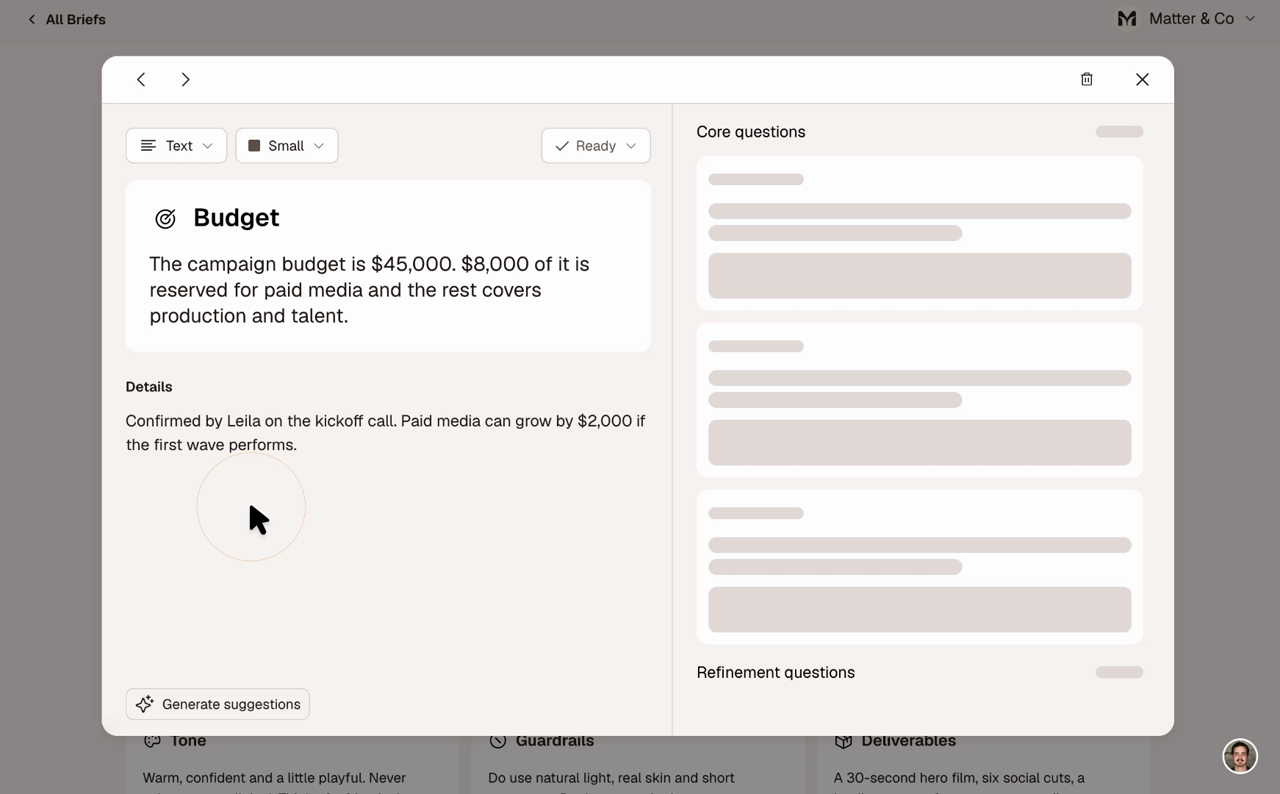
A budget reads as a big number now, not a sentence. Choose from Text, Statement, Topics, Number, Tags and Do / Don't, and each one sets its own type and spacing.
Drop references straight into a block
Drag, paste or attach images in the wizard or on any block. A block with images fills edge to edge, flips through them on its own, and never leaves an empty cell.
Switch layouts without losing your words
Change a block's layout any time and your words come along, reshaped to fit. Each layout keeps its own version, so switching back is instant. Gaudi only reshapes what's already there, and Undo is one click away.
Keep the full story in Details
Put context and reasoning in Details, and the canvas shows only the short version. Details appears in the block's detail view and in the expanded presentation, so clients still get the full picture.
Resize without cutting anything
Blocks resize to four presets, and the canvas shows as much as fits, cut at a word. A "Not visible on canvas" line in the editor shows where the cut falls. Nothing you wrote is lost.
Start new briefs already laid out
New briefs now arrive with a layout and size picked for each block, packed neatly into the grid. A References block is sized to the number of images you added.
Find your older briefs in the new layouts
Briefs you made before layouts were moved over. Long text blocks got a short Summary on the canvas, with the full original text kept in Details.
Fixed
- PDF uploads in the wizard no longer fail
- The brief wizard no longer crashes when a name suggestion comes back empty